
Choosing staff software for a private club is not simply a technology decision. It is an operational decision that can affect communication, scheduling, training, compliance, employee engagement, and ultimately the member experience.
The challenge is that many software platforms are designed for general businesses, not the unique realities of clubs. Country clubs, golf clubs, yacht clubs, athletic clubs, and similar organizations often manage seasonal employees, multiple departments, variable schedules, part-time workers, volunteers, and staff who may spend very little time at a desk.
The right platform should make work easier for employees and managers, not add another system they have to manage.
Start With the Problems You Need to Solve
Before comparing software, identify the operational problems that matter most.
Are managers spending too much time building schedules? Are important announcements getting lost in email? Is onboarding inconsistent? Are employees completing required training? Can staff easily find policies, forms, checklists, and procedures?
A clear list of priorities makes it easier to distinguish between software that looks impressive and software that will actually improve club operations.
Look for One Connected Staff Experience
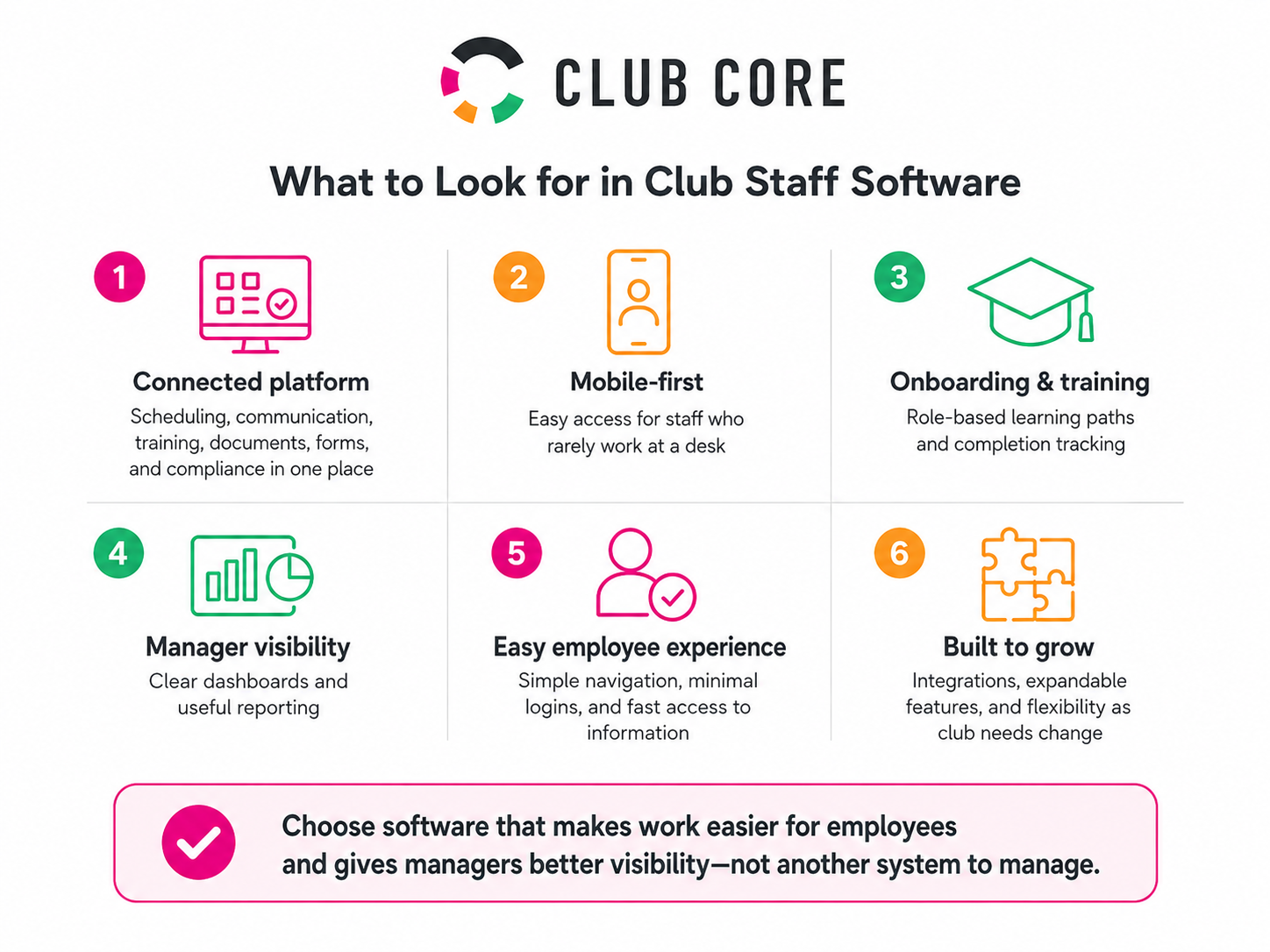
Clubs often accumulate separate tools for scheduling, communication, training, documents, surveys, and compliance. While each may solve an individual problem, employees can end up juggling multiple logins, apps, and systems.
A more connected approach can simplify the employee experience.
Look for platforms that bring core staff functions together, including scheduling, communications, learning and onboarding, document access, forms and checklists, surveys, and compliance tracking.
The easier the system is to use, the more likely employees are to use it consistently.
Make Mobile Access a Priority
Many club employees do not work behind a computer. Grounds crews, servers, golf operations staff, maintenance teams, instructors, and seasonal employees may rely primarily on their phones.
Staff software should therefore be designed with mobile use in mind.
Employees should be able to check schedules, receive updates, complete training, access important information, and submit forms without needing to find a desktop computer.
Consider Onboarding and Training
Turnover and seasonal hiring make onboarding especially important for clubs.
Look for software that allows new employees to follow defined learning paths based on their role or department. Managers should be able to see who has completed required training and where employees may need additional support.
The platform should also make it easy to update training when procedures, policies, or expectations change.
Evaluate Reporting and Visibility
Good software should give managers useful information, not simply generate more data.
Look for dashboards that provide visibility into staffing, training completion, compliance, communication, engagement, and other important workforce indicators.
Different leaders may need different views, so reporting should be easy to filter by department, role, location, or time period.
Think Beyond Today
Finally, consider how the platform will support the club as its needs change.
Can additional features be added later? Can the software integrate with existing systems? Is the platform flexible enough to support new programs, departments, or locations?
The best staff software does more than digitize existing processes. It creates a stronger foundation for communication, consistency, development, and accountability across the club.
For club leaders, the goal should be simple: choose technology that makes it easier for employees to do their jobs well and easier for managers to support them.